Single Page Application Search Engine Optimization: The Complete Rendering and Indexing Guide

If you've ever launched a slick React or Vue app only to watch Google ignore half your pages, you've felt the pain of single page application search engine optimization firsthand. I see this constantly: brilliant product, blazing-fast in-app navigation, but empty in search results.
The problem isn't your content. It's how it's delivered. A single page application loads one HTML shell and then builds everything with JavaScript. That breaks a lot of old SEO assumptions about HTML, links, and metadata.
This guide walks through how javascript seo, spa crawling and rendering, and core web vitals spa performance actually work in 2026, and what to do about it.
Key Takeaways: Single Page Application SEO at a Glance
If you're short on time, here's the cheat sheet. The rest of this guide shows you how to implement each piece.
| SEO Challenge | What Happens in SPAs | Winning Fix |
|---|---|---|
| Empty initial HTML | Server sends <div id="root"></div> with no content |
Use SSR, SSG, or pre-rendering so bots see full HTML |
| Delayed indexing | Google defers JavaScript rendering to a second wave | Reduce JS dependency for critical content and links |
| Broken routing | Hash URLs (#/pricing) and client-side redirects confuse crawlers |
Use History API clean URLs, real status codes |
| Missing metadata | Title, meta description, canonicals don't update on route change | Update head dynamically + validate in rendered HTML |
| Poor performance | Large bundles hurt LCP and INP on mobile | Code-split, lazy-load, cache at edge |
| Invisible structured data | JSON-LD injected too late is missed | Render JSON-LD server-side, test with Rich Results Test |
Bottom line: Don't rely on client-side rendering alone if search matters. Hybrid rendering wins.
What Is Single Page Application Search Engine Optimization and Why Is It Hard?
Single page application search engine optimization is the practice of making a JavaScript-driven SPA crawlable, renderable, and indexable without breaking its app-like experience.
A traditional multi-page application (MPA) sends a fresh, fully-formed HTML document for every URL. An SPA sends one minimal HTML shell once, then uses a framework like React, Vue, Angular, or Svelte to swap views in the browser via client-side routing and API calls.
That architecture is great for users. It's rough for bots.
How do SPAs differ from multi-page applications for SEO?
In an MPA, what you see in View Source is what Google gets. Headings, links, canonicals, structured data — all present on first byte.
In an SPA, View Source is often almost empty. The real content only appears after JavaScript executes, fetches data, and paints the DOM. You can see this yourself: right-click > View Source vs. Inspect in Chrome. If they look wildly different, you're living on rendered DOM.
That gap creates three classic failures: content that loads late, links that aren't in the initial HTML, and metadata that never updates.
Why do JavaScript-heavy SPAs struggle with discoverability?
JavaScript is everywhere — W3Techs reports JavaScript is used as a client-side language on over 98% of all websites — but reliance on JavaScript is the issue. If your main content, navigation, and product data require three API roundtrips and 2MB of JS to appear, any hiccup means nothing to index.
Common culprits I audit:
- Content behind authentication-like API delays or client-only fetches
- Navigation built with
onClickdivs instead of<a href>links - Titles and meta descriptions set once in
index.htmland never updated - Error states that return HTTP 200 with a pretty “Not Found” component
When does single page application search engine optimization matter most?
If your SPA is behind a login (SaaS dashboard, internal tool), SEO barely matters. If any part of it needs to attract new visitors — marketing pages, docs, blog, e-commerce listings, public profiles — it matters a lot.
It matters even more now for AI visibility. Large language model crawlers, social unfurlers, and price comparison bots are far less patient with JavaScript than Google. If they get an empty shell, you don't get cited, previewed, or summarized.
Pro Tip: If search or AI answers drive pipeline, treat your public routes as a website, not an app. Reserve pure CSR for logged-in areas only.
How Does Single Page Application Search Engine Optimization Work for Crawling, Rendering, and Indexing?
To fix SPA issues, you have to understand spa crawling and rendering as Google actually does it.
Google's flow is: discover URL via crawl > fetch HTML > queue for rendering with its Web Rendering Service (WRS) running evergreen Chromium > execute JavaScript > index rendered content. The Google Search Central documentation on JavaScript SEO explains this crawl-render-index model in detail.
That middle step is where SPAs get stuck.
What is Google's two-wave indexing and rendering queue?
Google often indexes the raw HTML first, then comes back to render JavaScript later. This is the infamous two-wave indexing.
Wave one might see only your loading spinner and generic meta tags. Wave two — hours or days later — sees the real content. For large sites, I've seen new SPA product pages take weeks to show full text in cache because the render queue was backed up.
That delay means price changes, new articles, or updated metadata won't rank until wave two completes. For news or e-commerce, that's painful.
Learn how that delay fits into the bigger picture in What is Search Engine Indexing? A Complete SEO Guide.
How do crawl budget and render budget affect SPA crawling and rendering?
Rendering JavaScript is expensive for search engines — far more CPU than parsing HTML. So Google rations it.
Every SPA route with bloated JS, duplicate filter states (?color=red&sort=price&page=7), hash URLs, and crawlable API JSON endpoints burns what SEOs call render budget. Google may simply skip rendering low-value variations.
Hash-based URLs like example.com/#/pricing are especially wasteful. Everything after # is typically ignored for indexing, so all your “pages” look like one URL.
Pro Tip: Block internal API endpoints and useless parameter combinations in robots.txt, but never block your JS and CSS files. Google needs those to render.
How do Bing, social crawlers, and AI bots handle JavaScript SEO differently?
Google is the best at JavaScript. Everyone else is worse.
Bing renders JavaScript but with different timeouts and quirks. Slack, X/Twitter, LinkedIn, and Facebook unfurlers generally don't run JavaScript at all — they read raw HTML for Open Graph tags. If your SPA sets og:image client-side, your link shares will look broken.
AI search bots from ChatGPT, Perplexity, and others vary widely. Many fetch HTML without full rendering or with strict timeouts. If you want to show up in AI Overviews and chat answers, server-rendered content and clean structured data are no longer optional. Our breakdown of what modern technical seo services must include to win in AI search covers this shift.

What Are the Best Rendering Strategies for Single Page Application Search Engine Optimization?
Choosing a rendering model is the biggest decision in single page application search engine optimization. Get this right and everything else gets easier.
Here's the honest tradeoff: pure client-side rendering is cheapest to build, most expensive to rank.
Should you choose SSR vs CSR vs SSG vs ISR for your SPA?
- CSR (Client-Side Rendering): Browser does all the work. Good for dashboards. Bad for public SEO content because initial HTML is empty.
- SSR (Server-Side Rendering): Server builds full HTML on each request. Excellent for SEO and social sharing. Higher server cost and complexity. Think Next.js
getServerSideProps, Nuxt SSR, Angular Universal. - SSG (Static Site Generation): Build full HTML at deploy time. Blazing fast, incredibly crawlable, cheap to host on CDN. Perfect for marketing pages, docs, blogs. Not ideal for highly personalized real-time data.
- ISR (Incremental Static Regeneration): Hybrid. Pre-build static pages, then revalidate in background. You get SSG speed with fresh data. The Next.js rendering documentation is the best reference for implementing SSR, SSG, and ISR patterns in React.
Most winning setups I see are hybrid: SSG for marketing + SSR for dynamic listings + CSR for logged-in app. Frameworks like Next.js, Nuxt, Remix, SvelteKit, and Astro make this far easier than it was three years ago.
Check the official Vue SSR guide and React server rendering docs if you're deciding between ecosystems.
How does dynamic rendering SEO work and when should you use it?
Dynamic rendering seo means detecting bots by user-agent and serving them a pre-rendered static HTML snapshot, while human users get the normal SPA.
Google has said dynamic rendering is a workaround, not a long-term strategy. In 2026, my view is clear: use it only as a temporary bridge while you migrate to SSR/SSG. It adds cloaking risk if content parity slips, doubles infrastructure to maintain, and does nothing for Core Web Vitals for real users.
When does it still make sense? Very large legacy AngularJS or Backbone apps where a rewrite is 9 months out, or sites with millions of parameter-driven URLs that can't SSR everything yet. Services like Prerender.io or self-hosted Puppeteer can help, but monitor content parity religiously.
For personalized pages, read Dynamic Content & SEO: Personalize Pages Safely to avoid accidental cloaking.
What about hydration, islands architecture, and edge-side rendering?
Hydration is when the browser takes server-rendered HTML and “attaches” JavaScript interactivity. Done poorly, it causes layout shifts and INP issues. Done well with streaming and Suspense, users see content instantly.
Islands architecture (popularized by Astro) takes this further: ship static HTML for 90% of the page, hydrate only interactive islands like search filters or carts. Less JS = faster LCP, better rankings.
Edge-side rendering pushes SSR to CDN edge workers (Cloudflare Workers, Vercel Edge, Netlify Edge). You get server-rendered HTML from a location 20ms from the user instead of 300ms. For global SaaS audiences, this is a massive win for both SEO and UX.
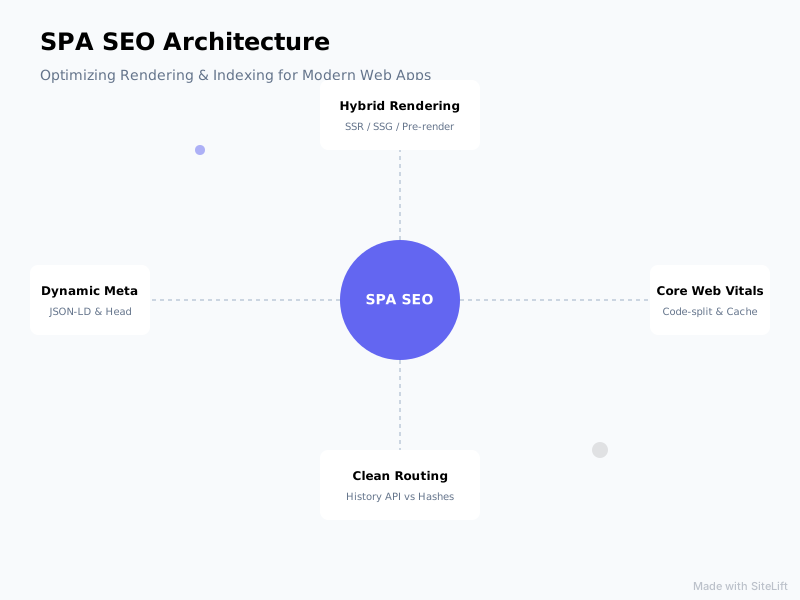
Infographic by SiteLift
How to Implement Technical SEO for Single Page Applications?
Once rendering is sorted, you need SPA-specific technical hygiene. This is where most javascript seo audits fail — not on big architecture, but on a dozen small details.
How to handle URLs, routing, metadata, and canonicals in SPAs?
- Use History API, not hashes. Your router should produce clean URLs:
/pricing, not/#/pricingor/#!pricing. Ensure each route is directly loadable (no 404 on refresh). - Update head on every route change. Title, meta description, robots, canonical, hreflang, and Open Graph tags must update client-side and be present in server-rendered HTML. Libraries like React Helmet Async or Nuxt useHead help, but test the rendered output.
- Send real status codes. SPAs love to return 200 for everything. Your server / edge layer must return 404 for missing products, 301 for moved URLs, 410 for gone content. Soft-404 SPAs bleed crawl budget.
- Canonicalize filter states. If
/shoes?color=red&size=10creates infinite combinations, canonicalize to the main category and userel="next/prev"logic or View All + proper pagination. Noindex thin faceted pages rather than letting them get rendered.
How to optimize Core Web Vitals, JavaScript performance, and mobile UX for SPAs?
Core web vitals spa performance directly impacts rankings and conversions. According to Think with Google, 53% of mobile visits are abandoned if a page takes longer than 3 seconds to load, and StatCounter data shows Chrome holds over 65% of global browser share — meaning CrUX data from real Chrome users largely defines your scores.
Add to that Portent's finding that conversion rates drop by an average of 4.42% with each additional second of load time between 0-5 seconds, and SPA bloat becomes a revenue problem, not just an SEO problem.
Tactics that actually move the needle:
- Code-split aggressively. Split by route, then by component. Your homepage shouldn't load checkout JS.
- Audit your bundle. Lodash, Moment, three chart libraries, and unoptimized icons add up. Replace heavy deps, tree-shake, and set performance budgets in CI.
- Prioritize LCP and INP. Preload hero image and fonts, server-render LCP element, defer non-critical JS. For INP, break up long tasks, debounce search inputs, and avoid hydrating everything at once.
- Fix CLS from dynamic injection. Reserve space for API-loaded content, skeletons, and ads. Layout shift after hydration kills trust.
- Cache smartly. Cache static shells at CDN, API responses at edge with stale-while-revalidate, and use service workers for repeat visits.
Google's web.dev guides on Core Web Vitals are the gold standard for implementation details here.
Related reading: SEO User Experience: Your SXO Competitive Edge connects speed work to conversions.
How to implement structured data, sitemaps, and internal linking for dynamic content?
- Inject JSON-LD server-side. Don't rely on client-side injection after render. Product, Article, FAQ, Breadcrumb, and SoftwareApplication schema should be in the initial HTML. Validate with Rich Results Test on the rendered DOM.
- Generate dynamic XML sitemaps. Your sitemap can't be a static file from 2022. Generate it from your API/CMS nightly, include only indexable canonical URLs with accurate
lastmod, and split by content type. - Make infinite scroll crawlable. Google can scroll, but don't depend on it. Implement paginated URLs (
/blog?page=3) alongside infinite scroll, with proper<a href>links. Same for tabs and “load more” — each content chunk should have a crawlable URL. - Use real links. Every important page should be reachable via
<a href>in server HTML, notdiv onClick. Build an HTML-accessible nav, footer, breadcrumbs, and related-links module that doesn't require JS to discover.
How to Audit, Test, and Monitor JavaScript SEO Performance?
You can't fix what you can't see. Javascript seo auditing is about comparing what bots see vs. what users see.
Which tools validate SPA rendering and indexing?
- View Source vs. Inspect: Quick gap check. Big difference = high JS dependency.
- Google Search Console URL Inspection > Test Live URL > View Tested Page: Shows rendered HTML, screenshots, and blocked resources Googlebot actually got.
- Rich Results Test & Mobile-Friendly Test: Free rendering checks with JS console errors.
- Disable JavaScript: In Chrome DevTools (
Ctrl+Shift+P> Disable JavaScript) and reload. Can you still read headlines and navigate? - Screaming Frog with JS rendering: Crawl in Text Only vs. JS rendering mode and diff titles, word count, links, and structured data.
- Log file analysis: See if Googlebot hits your API endpoints excessively or never requests render-critical JS.
- Lighthouse + PageSpeed Insights + CrUX: Lab vs. field data for LCP, CLS, INP.
What is a step-by-step SPA SEO audit checklist?
Run this quarterly, and after every major frontend deploy:
- Crawl homepage + 20 key templates with JS disabled. Note missing content.
- Compare raw HTML vs. rendered DOM for title, H1, canonical, meta robots, hreflang, JSON-LD.
- Check routing: refresh deep URLs, test 404s return 404 status, verify redirects are server-side 301s.
- Inspect
robots.txt— are JS/CSS/API bundles blocked? Are staging params leaking? - Review XML sitemaps for stale, redirected, or noindexed SPA routes.
- Run Lighthouse on mobile for 5 core templates. Flag LCP >2.5s, INP >200ms, CLS >0.1.
- Test social sharing with LinkedIn Post Inspector and X Card Validator.
- Search
site:yourdomain.com+ key phrases to spot indexing gaps and duplicate titles.
How to track keyword momentum and rendering errors over time?
One-time audits decay fast in SPAs because every deploy can break rendering. Set up ongoing monitoring:
- Search Console Coverage + Crawl Stats for spikes in “Crawled - currently not indexed” and “Discovered - currently not indexed”
- CrUX dashboard for real-user Core Web Vitals by template and country
- Lighthouse CI in your deploy pipeline to block regressions
- Uptime / render-diff alerting that compares server HTML vs. rendered DOM daily
- Keyword momentum tracking by page type (marketing vs. product vs. docs) to tie rendering fixes to traffic
My Take: Why I’d Never Launch a Pure CSR SPA for Public Content in 2026
I'll be blunt because I've cleaned up this mess too many times.
Pure client-side SPAs were a reasonable tradeoff in 2016 when SSR was painful and Google said “we can render JavaScript, don't worry.” In 2026, SSR is a config flag in Next.js or Nuxt, edge hosting is cheap, and competition for attention includes TikTok, AI answers, and social previews — none of which patiently wait for your bundle to hydrate.
Every time a founder tells me “Google can render JS so we're fine,” I ask them to share a link in Slack and watch the preview come up blank. Or to check Search Console and explain why 40% of product URLs are “Discovered, not indexed.” Or to load their site on a mid-range Android in Brazil on 4G.
My rule is simple: if a URL needs to earn traffic, it deserves server-rendered HTML in under a second. Use islands, ISR, and edge caching to keep costs down. Reserve the full SPA magic for after the user logs in, where SEO doesn't matter and interactivity does.
I don't hate SPAs — I build on them. I just think we've outgrown the excuse that SEO has to suffer for great UX. With modern hybrids, you can have both.
— sitelift.io
From Audit to Autopilot: Keep Your SPA Indexed as You Ship
Fixing SPA SEO once isn't enough. New routes, framework upgrades, and content experiments constantly reintroduce rendering gaps.
That's why teams pair a solid rendering foundation (SSR/SSG + clean routing + fast vitals) with continuous publishing and monitoring. sitelift.io helps here — it auto-generates targeted, SEO-ready content, distributes it across a premium network, syncs with your CMS, and tracks keyword momentum in real time so compounding growth doesn't depend on manual sprints.
If you want to go deeper on scaling content safely, check out Modern Search Engine Optimisation Solutions.

FAQ
What is single page application search engine optimization?
Single page application search engine optimization is optimizing a JavaScript SPA — typically built in React, Vue, or Angular — so search engines can crawl its routes, render its JavaScript, index its content, and rank it. It covers rendering strategy (SSR, SSG, ISR), clean History API URLs, dynamic metadata and canonicals, Core Web Vitals, structured data, sitemaps, and internal linking that works without requiring full client-side execution.
Can Google crawl and index single page applications?
Yes, Google can crawl and index SPAs using its evergreen Chromium renderer, but with delays and limits. Google fetches your HTML first, then queues JavaScript for rendering later — sometimes days later. Thin JS support, blocked resources, missing links, or heavy bundles can cause partial indexing or “Crawled - currently not indexed” status. Other crawlers like social unfurlers and many AI bots may not run JavaScript at all.
What is the best rendering method for SPA SEO: SSR, SSG, or dynamic rendering?
For most public content, SSG is best for speed and crawlability if content is relatively static, SSR is best for dynamic personalized content, and ISR blends both. Dynamic rendering — serving pre-rendered HTML only to bots — is a temporary workaround while migrating to SSR/SSG, not a long-term strategy. Modern hybrids with Next.js, Nuxt, or Astro islands plus edge caching give you SEO without sacrificing app experience.
How do Core Web Vitals affect single page application rankings?
Core Web Vitals — Largest Contentful Paint (LCP), Interaction to Next Paint (INP), and Cumulative Layout Shift (CLS) — are ranking signals based on real Chrome user data. SPAs often struggle with LCP from large bundles and client-side data fetching, INP from heavy hydration and main-thread blocking, and CLS from late-injected content. Improving them via code-splitting, server-rendering LCP elements, and reserving layout space boosts both rankings and conversions.
How do you fix indexing issues for JavaScript-heavy SPAs?
Start with a render-gap audit: compare View Source vs. rendered DOM, test in Search Console URL Inspection, and crawl with and without JavaScript. Then prioritize: move to SSR/SSG/ISR for key templates, fix History API routing and status codes, ensure metadata and JSON-LD render server-side, clean sitemaps and internal links to use real <a href> tags, cut bundle size, and monitor coverage and CrUX over time.
Topics Covered:
- single page application search engine optimization
- javascript seo
- spa crawling and rendering
- dynamic rendering seo
- core web vitals spa
More from SiteLift

Best Rank Tracking Tool: 7 Must-Have Features for SEO and AI Search in 2026
Discover the best rank tracking tool for modern search. Compare SiteLift, Semrush, Ahrefs, and more across AI visibility, speed, and automated reporting.

Daily Rank Tracking: Catch Google and AI Search Shifts Before Competitors
Master daily rank tracking to catch Google algorithm shifts, track AI search fluctuations, and protect your organic rankings before competitors react.

What Is a Content Map? How to Plan Topical Authority That Compounds Traffic
Learn how to build a strategic content map. Discover how entity clustering and pillar-cluster architecture compound your organic traffic.