Bridging the Gap: Why SEO User Experience (SXO) Is Your Ultimate Competitive Advantage
 SEO user experience is where search visibility, usability and conversion performance meet. Often called SXO (Search Experience Optimisation), it is the practice of making a page easy to find, fast to use, genuinely useful to consume and persuasive enough to help a visitor complete their task.
For European SaaS businesses, that combination is no longer a nice-to-have. Product features can be copied. Pricing can be matched. But a website that answers the right question quickly, respects privacy, works beautifully on mobile and makes the next step obvious creates an advantage that is much harder to replicate.
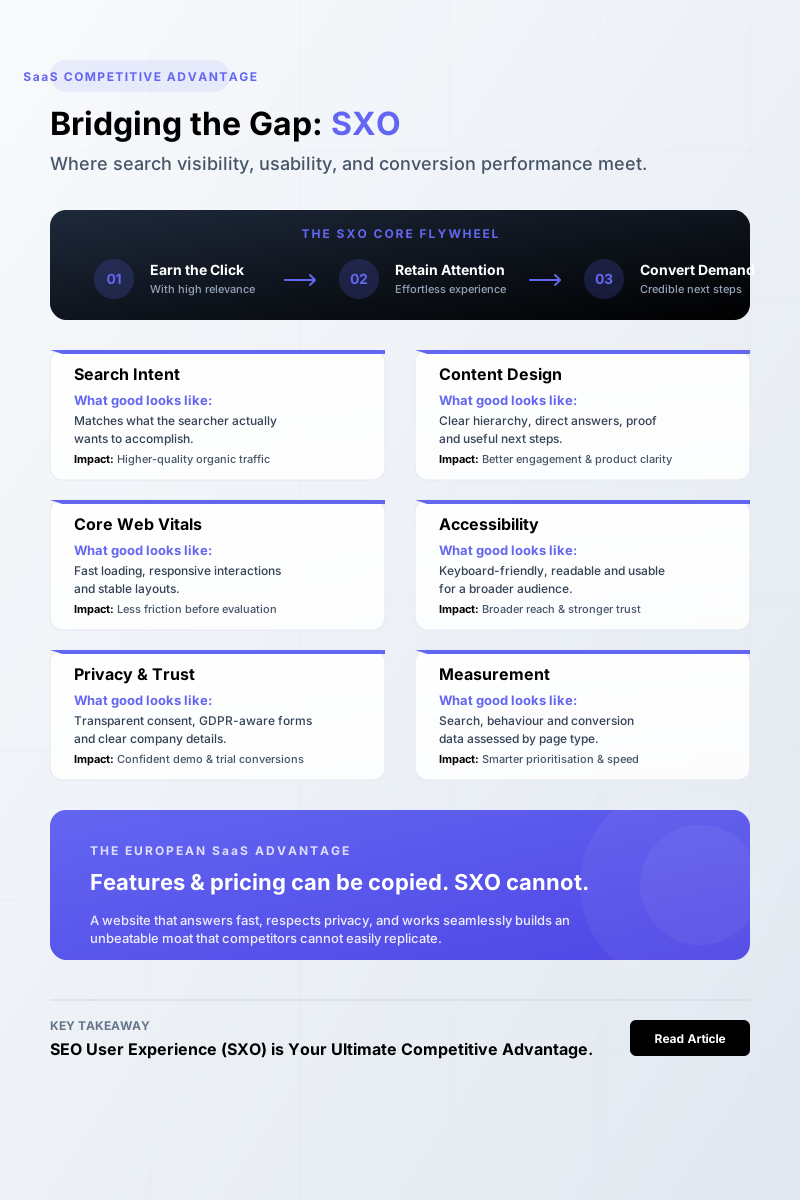
Key takeaways: What makes SEO user experience work?
| SXO area | What good looks like | Commercial impact |
|---|---|---|
| Search intent | The page matches what the searcher actually wants to accomplish | Higher-quality organic traffic |
| Content design | Clear hierarchy, direct answers, proof and useful next steps | Better engagement and product understanding |
| Core Web Vitals | Fast loading, responsive interactions and stable layouts | Less friction before visitors evaluate your offer |
| Accessibility | Keyboard-friendly, readable and usable for more people | Broader reach, stronger trust and lower risk |
| Privacy and trust | Transparent consent, GDPR-aware forms and clear company details | More confident demo, trial and contact conversions |
| Measurement | Search, behaviour and conversion data assessed by page type | Smarter prioritisation and faster improvements |
The central idea is simple: earn the click with relevance, retain attention with an effortless experience, and convert demand with credible next steps.
What Is SEO User Experience (SXO) and Why Does It Matter?
SEO user experience is not a single Google metric or a shiny redesign project. It is the operating model behind a page that serves both the search engine and the human being who lands on it.
A strong SEO user experience combines:
- SEO: crawlability, indexability, topical relevance and search-intent alignment.
- UX: speed, clarity, accessibility, navigation and low-friction interactions.
- Conversion rate optimisation (CRO): relevant calls to action, persuasive proof and simple decision paths.
- Content strategy: useful information presented in the format people need at that moment.
Google does not publish an “SXO score”. Its page experience guidance makes this clear: helpful, reliable content remains fundamental, while technical and experience-related signals help Google understand whether a page is usable in practice.
How SEO, UX and conversion optimisation work together
Think of a search visit as a chain of commitments.
A person sees your result, decides whether to click, judges the page in seconds, scans for evidence, evaluates alternatives and either takes the next step or leaves. SEO gets you into the consideration set. UX makes the evaluation painless. CRO gives the visitor a sensible reason to continue.
This matters especially in crowded European SaaS categories. A prospect researching “AI SEO platform”, “customer support software” or “HR compliance tool” will often find ten vendors making similar promises. The winner is rarely the brand with the most superlatives. It is usually the one that makes the answer easiest to understand and trust.
Which signals can influence organic performance?
It helps to separate three things that are frequently muddled together:
| Category | Examples | What it tells you |
|---|---|---|
| Ranking systems and signals | Helpful content, relevance, crawlability, mobile usability, page experience considerations | Whether a page can compete in search |
| Diagnostic metrics | Bounce rate, scroll depth, session recordings, rage clicks | Where relevance or usability may be failing |
| Commercial outcomes | Demo requests, trial starts, pipeline, assisted conversions | Whether the experience creates business value |
Bounce rate is not a confirmed direct Google ranking factor. Treating it as one is lazy SEO. Still, a persistently high bounce rate on a page designed to drive deeper evaluation can signal a problem: the title may overpromise, the page may load slowly, or the visitor may not find the expected answer.
The same logic applies to page experience signals. A fast page with thin, generic copy is still a poor search result. Conversely, brilliant content trapped behind an unusable mobile experience will struggle to realise its potential.
What European users expect from trustworthy experiences
European buyers are generally alert to trust cues, particularly when software involves customer data, payment details or AI-generated outputs. Your site should make the basics reassuringly clear:
- Transparent pricing, or an honest explanation of how pricing works
- GDPR-conscious lead capture and consent choices
- Cookie controls that do not punish people for declining non-essential tracking
- Localised language, currencies and examples where relevant
- Visible security, privacy and data-processing information
- Interfaces that work for people using keyboards, screen readers or mobile devices
Localisation is not merely swapping “color” for “colour” or adding a euro symbol. A German operations leader, a Dutch growth manager and a UK founder may share a language of SaaS metrics, but their expectations around proof, procurement and privacy can differ significantly.
Why Does SEO User Experience Create a Competitive Advantage?
The best SEO user experience removes uncertainty at every step. Visitors should not have to wait, hunt, decode jargon or wonder whether your company is credible.
How Core Web Vitals and page experience signals affect real users
Core Web Vitals are user-centred performance metrics based on real browsing experiences:
- Largest Contentful Paint (LCP): loading performance. Google considers 2.5 seconds or less good.
- Interaction to Next Paint (INP): responsiveness after a user interacts. A good threshold is 200 milliseconds or less.
- Cumulative Layout Shift (CLS): visual stability. A good score is 0.1 or less.
These thresholds apply at the 75th percentile of page loads, meaning your site needs to perform reliably for most visitors, not just on a developer’s high-spec laptop. Google’s Core Web Vitals documentation offers the current definitions and measurement guidance.
The commercial case is equally clear. Google and SOASTA found that 53% of mobile site visits are abandoned when pages take longer than three seconds to load. They also reported that moving from one to three seconds in mobile load time increases bounce probability by 32%.
For SaaS, a slow hero image or delayed comparison table can be costly. Visitors may never reach the product proof that would have convinced them to start a trial.
Why relevance, clarity and trust support bounce rate reduction
Bounce rate reduction is not about trapping visitors on a page. It is about ensuring the right visitors do not leave because you created avoidable friction.
Common causes of premature exits include:
- A headline that does not match the search result
- A vague opening that delays the answer
- Heavy scripts, oversized media or slow third-party tools
- Aggressive pop-ups before a visitor has read anything
- Navigation that hides pricing, integrations or documentation
- Mobile layouts that make comparison and form completion awkward
A page should confirm relevance immediately. If someone searches for “best SEO automation platform for agencies”, do not begin with a generic history of SEO. Explain who the platform is for, what workflow it improves and how it differs from manual content operations.
How accessibility and privacy strengthen the user journey
Accessibility is both an ethical obligation and a commercial opportunity. The Web Content Accessibility Guidelines (WCAG) provide a practical foundation for making websites perceivable, operable, understandable and robust.
Start with the essentials:
- Sufficient colour contrast and readable text sizes
- Logical heading structure
- Keyboard-accessible menus, forms and modals
- Descriptive labels and useful error messages
- Captions or transcripts for meaningful video content
- Touch targets that work on smaller screens
The need is not theoretical. WebAIM’s 2024 Million report found that 95.9% of the top one million home pages had detectable WCAG failures. Basic usability remains a genuine differentiator.
For European organisations, accessibility expectations are also tightening through legislation and procurement standards. The European Commission’s accessibility policy guidance is a useful reference point for teams serving public-sector or regulated markets.
How Can You Design SEO Content That Users Actually Want to Use?
Good rankings may create the visit, but UX-focused content design determines whether the visit becomes progress.
How to map search intent to the right page format
Before writing or redesigning a page, identify the job the visitor is trying to do.
| Search intent | Best page format | Appropriate next step |
|---|---|---|
| Informational | Guide, framework, glossary, original research | Related guide, newsletter, tool or product use case |
| Commercial investigation | Buyer’s guide, alternatives page, comparison | Demo, trial, pricing or feature page |
| Comparison | “X vs Y” page, comparison matrix, migration guide | Product tour, migration consultation or trial |
| Transactional | Pricing, feature, integrations or sign-up page | Start trial, book demo or purchase |
An educational article should not behave like a pricing page. A high-intent integration page should not bury the setup details beneath 1,500 words of broad thought leadership. The right SEO user experience respects where the visitor is in their decision process.
What UX-focused content design looks like in practice
The most useful content is layered. It helps the rushed reader, the careful evaluator and the technical decision-maker without forcing any of them through the same path.
A practical structure looks like this:
- Open with the direct answer. Confirm the problem and explain what the reader will gain.
- Use descriptive headings. “How INP affects form completion” is more useful than “Why it matters”.
- Keep paragraphs short. Dense blocks of text are hard to scan, particularly on mobile.
- Add visual proof. Screenshots, annotated workflows, product diagrams and comparison tables reduce ambiguity.
- Link deliberately. Internal links should answer the reader’s likely next question.
- Offer depth on demand. Use expandable details, documentation links or technical appendices where appropriate.
Pro Tip: Write the first 100 words after reviewing the search results page. Your opening should make it obvious that your page is a better continuation of the searcher’s journey than the alternatives.
Avoid familiar SEO habits that damage usability: keyword stuffing, generic introductions, clickbait titles, vague buttons, intrusive overlays and walls of unstructured text. Search engines have become better at identifying unhelpful content, but your readers have always recognised it instantly.
How to build trust and guide the next action
Trust is not a logo strip slapped above the footer. It is the cumulative feeling that your business is real, competent and straightforward.
For a SaaS website, that means showing:
- Named authors or subject-matter reviewers for expert content
- Evidence-backed claims and dated research
- Clear product documentation and integration details
- Security, privacy and data-residency information
- Relevant customer outcomes, not just anonymous testimonials
- Transparent pricing or a clear route to pricing
- Forms that explain why each field is needed
A GDPR-aware form is good UX. Ask only for information you genuinely need, explain how it will be used and avoid pre-ticked marketing consent. The short-term temptation to capture every data point rarely outweighs the long-term trust cost.
 ## How Do You Measure and Improve SEO User Experience?
SEO user experience improves when teams connect search visibility to real journeys, not when they stare at a single dashboard metric.
Which SEO user experience metrics should you track
Track performance by page type, device, market, traffic source and intent. A site-wide average can hide a disastrous mobile pricing-page experience or a high-performing comparison page in a specific country.
| Measurement area | Useful metrics | Decision it supports |
|---|---|---|
| Search performance | Impressions, clicks, CTR, average position, indexed pages | Where organic opportunity exists |
| Technical experience | LCP, INP, CLS, mobile usability, crawl issues | What creates access friction |
| Content engagement | Engaged sessions, scroll depth, return visits, internal-link use | Whether content satisfies intent |
| Conversion | Trial starts, demo completion, activation, assisted conversion | Whether pages create revenue impact |
| Qualitative feedback | On-page surveys, support themes, consented session recordings | Why users struggle or hesitate |
Use Google Search Console for queries, impressions, clicks, indexing and Core Web Vitals reporting. Pair it with GA4 or a privacy-conscious analytics setup to assess key events such as product-tour views, trial starts and completed forms.
How to diagnose Core Web Vitals with field and lab data
Field data and lab data do different jobs.
- Field data reflects what real visitors experience across devices, connections and locations. It is the best way to validate Core Web Vitals.
- Lab data simulates a test environment. It helps developers reproduce issues and identify specific causes, such as render-blocking scripts or unoptimised images.
PageSpeed Insights usefully combines Chrome UX Report field data, where available, with Lighthouse diagnostic data. Use field data to decide whether the problem is real at scale; use lab data to fix it.
 Pro Tip: Do not chase a perfect Lighthouse score at the expense of useful functionality. Prioritise the real-user bottleneck on commercially valuable pages first.
How to prioritise an SXO experimentation roadmap
I recommend a simple prioritisation score based on five inputs:
- Business value: Does the page influence pipeline, trials or retention?
- Organic opportunity: Does it already earn impressions or rank near page one?
- User pain: Is there evidence of slow performance, confusion or drop-off?
- Implementation effort: Can the team ship a meaningful fix quickly?
- Confidence: Do you have evidence that the change addresses the real problem?
Test one major hypothesis at a time. Examples include:
- Simplifying a cluttered hero section on a feature page
- Replacing a generic comparison table with decision criteria
- Reducing a demo form from eight fields to four
- Removing render-blocking third-party scripts
- Adding implementation proof to a high-intent integration page
- Improving internal links from educational guides to relevant product pages
Deloitte Digital and Google found that a 0.1-second improvement in mobile speed was associated with an 8.4% increase in retail conversions and a 10.1% increase in lead-generation conversions. That is not a promise that every SaaS page will produce the same gain, but it is a reminder that small improvements can compound meaningfully.
Key Takeaways: How Can Teams Turn SEO User Experience Into a Growth System?
The best SEO user experience is not a one-off technical audit. It is a continuous system for identifying where search demand meets unnecessary friction.
The SEO user experience checklist for high-value pages
Before publishing or refreshing an important page, check that it:
- Matches a defined search intent and query cluster
- Provides a clear answer near the top
- Works comfortably on mobile devices
- Meets or moves towards good Core Web Vitals thresholds
- Uses accessible hierarchy, contrast, labels and interactions
- Includes relevant internal links and logical navigation
- Demonstrates expertise with proof, sources and product detail
- Handles consent and personal data transparently
- Gives visitors one clear, context-appropriate next action
- Has measurement in place for search, engagement and conversion outcomes
A practical 90-day SXO improvement plan
Month one: audit priority pages and content hubs.
Identify pages with high impressions but weak click-through rates, strong traffic but poor conversion, or known mobile and performance issues. Review them by market and device, not just in aggregate.
Month two: remove high-impact friction.
Fix the most damaging technical and usability barriers: slow LCP elements, unstable layouts, broken mobile flows, inaccessible forms, vague navigation and excessive scripts.
Month three: run focused growth tests.
Publish intent-led content, improve comparison and feature pages, strengthen internal links and test clearer product proof. Review results with SEO, content, product, design, engineering and revenue teams together.
That shared ownership matters. SEO can identify demand, but it cannot solve a weak onboarding flow alone. Design can improve clarity, but it needs search data to understand what people expect. SXO works when every team sees the website as a revenue-producing product, not a collection of disconnected pages.
Why I Think SEO User Experience Is Still Underrated
My view is straightforward: too many teams treat traffic as the finish line.
They celebrate a ranking increase, publish another article and move on, even when the landing experience is slow, vague or impossible to use on a phone. That creates a familiar pattern: rising impressions, disappointing pipeline and a constant pressure to publish more.
The smarter approach is to make every valuable visit work harder. A genuinely useful article can build authority and introduce a product naturally. A comparison page can remove procurement objections before the sales call. A fast, accessible pricing page can turn interest into action without another expensive retargeting campaign.
This is why SEO user experience is a competitive advantage rather than a checklist. It compounds. Better pages earn more qualified engagement; stronger engagement informs better content; clearer journeys create more conversions; and those insights improve the next round of optimisation.
Build a More Scalable SEO User Experience With SiteLift
Content velocity matters, but only when the output is aligned with search intent, quality standards and the user journey that follows. That is where an end-to-end workflow becomes valuable.
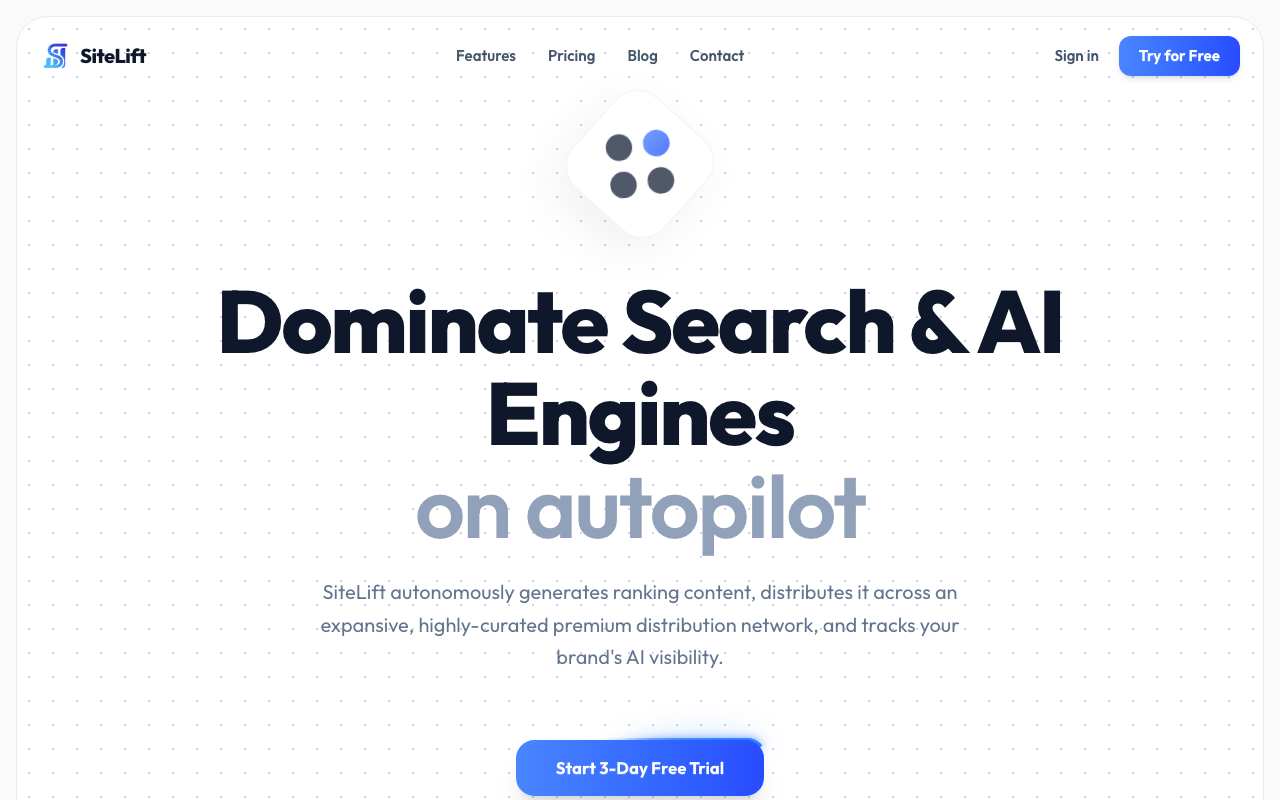
SiteLift helps teams create targeted content, distribute it through a premium network and track keyword momentum without turning SEO into a manual publishing treadmill. For SaaS teams building an ambitious organic growth engine, that can free up more time for the SXO work that deserves human judgement: positioning, proof, experience design and conversion strategy.
 Use automation to make production more consistent. Use real customer insight to make the experience worth returning to.
FAQ
What is SEO user experience?
SEO user experience is the practice of optimising pages for both search visibility and human usability. It combines technical SEO, helpful content, speed, mobile usability, accessibility, trust signals and conversion-focused design.
Is bounce rate a Google ranking factor?
Bounce rate is not a confirmed direct Google ranking factor. However, it can be a useful diagnostic metric when assessed with search intent, page type and conversion data. A high bounce rate may reveal that a page is slow, misleading, poorly structured or irrelevant to the visitor’s query.
How do Core Web Vitals affect SEO user experience?
Core Web Vitals measure loading performance, interaction responsiveness and visual stability. Good LCP, INP and CLS scores reduce friction, especially on mobile, and support Google’s broader page experience framework. They cannot compensate for unhelpful content, but poor scores can make useful content harder to access and use.
What are the best ways to improve UX-focused content design?
Start by matching the page format to search intent. Then use direct openings, descriptive headings, short paragraphs, clear internal links, tables, screenshots, original examples and evidence-based claims. Make the next step relevant to the reader’s stage of evaluation rather than forcing every visitor into a demo request.
How can SaaS companies measure the impact of SXO?
Measure SXO through a combination of Google Search Console data, Core Web Vitals, privacy-compliant analytics, conversion events and qualitative feedback. Track results by page type, device, market and intent, then connect improvements to trial starts, demos, activation and assisted pipeline rather than relying on traffic alone.
— SiteLift Editorial Team
Article generated by SiteLift
Topics Covered:
- seo user experience
- Core Web Vitals
- page experience signals
- bounce rate reduction
- UX-focused content design
More from SiteLift

The Ultimate Technical SEO Checklist for European E-Commerce and SaaS Platforms
Master the ultimate technical seo checklist for European SaaS and e-commerce. Optimize Core Web Vitals, schema, and crawl budget with our expert guide.

Decoding SEO Agency Fees: Hourly Rates, Retainers, and Automated Alternatives
Uncover real SEO agency fees, from hourly rates and $3,000+ monthly retainers to cost-effective automated platforms. Maximize your organic ROI.

SEO Conversion Optimization: How to Turn Organic Search Readers into Paying Customers
Learn how to turn organic search visitors into paying customers with this step-by-step SEO conversion optimization guide. Optimize your CTAs and UX.