The Best SEO Project Management Tools to Streamline Your Publishing Workflow

If you have ever tried to manage a scaling content engine using nothing but spreadsheets and Slack messages, you know how quickly things fall apart. Between keyword research, content briefs, writer assignments, editor reviews, optimization, and rank tracking, SEO is a multi-headed beast. Without the right seo project management tools, your publishing pipeline can quickly become a chaotic mess of missed deadlines, unoptimized drafts, and lost ranking opportunities.
According to the Content Marketing Institute, 76% of B2B marketers use content creation, collaboration, or workflow tools to manage their publishing pipelines. Yet, many teams still struggle because they treat SEO like standard task management. SEO is different. It is iterative, data-driven, and highly dependent on external search engine variables.
In this guide, we will break down the absolute best seo project management tools available today. We will look past the generic marketing fluff and show you exactly how to configure these platforms to streamline your content workflow, manage campaigns, and scale your organic traffic without losing your mind.
Why Teams Need Specialized SEO Project Management Tools
Standard project management tools are built for linear tasks. A developer writes code, a QA tester checks it, and the feature goes live.
SEO does not work that way. An SEO workflow is circular, highly collaborative, and deeply dependent on external metrics. A single piece of content undergoes keyword research, search intent mapping, brief creation, drafting, on-page optimization, publishing, indexing, and ongoing performance monitoring.
Furthermore, SEO requires seamless handoffs between highly specialized roles:
- SEO Strategists who identify keyword opportunities and build briefs.
- Writers who need clear, search-intent-aligned instructions.
- Editors who refine the voice while preserving semantic SEO keywords.
- Webmasters/Publishers who handle CMS formatting, schema markup, and internal linking.
- Outreach Specialists who build backlinks to the newly published assets.
Research from the Project Management Institute (PMI) indicates that organizations utilizing standardized project management practices waste 28 times less money. In the organic search space, that wasted money translates directly to orphaned content, targeting the wrong keywords, and publishing articles that never rank.
To prevent these costly mistakes, you need specialized systems. Your stack must include robust content workflow software to manage the writing pipeline, visual editorial calendar tools to map out your publishing cadence, features for agency project management to handle clients, and automated content tracking to monitor performance post-publish.
1. ClickUp: The Most Customizable Content Workflow Software
ClickUp is a powerhouse of a productivity platform. While it is built for general business use, its modular design makes it one of the most powerful seo project management tools on the market if you know how to configure it correctly.
Who It’s Best For
Growing in-house SEO teams and agencies that require highly customized workflows, detailed database fields, and complex task dependencies.
Standout Strength
Unmatched customization. ClickUp allows you to build a highly tailored content workflow software ecosystem within a single list, complete with custom fields for search volume, target keywords, and optimization scores.
Main Drawback
The learning curve is incredibly steep. If your team is looking for a simple "plug-and-play" tool, ClickUp’s endless customization options can feel overwhelming and lead to analysis paralysis.
How to Configure ClickUp for SEO
To make ClickUp work for your SEO campaigns, do not just use the default "To Do" and "Done" statuses. Set up a dedicated List called "Content Production Pipeline" and configure it as follows:
- Custom Statuses: Ideation -> Brief Ready -> Writing -> SEO Optimization -> Editorial Review -> Scheduled -> Published -> Indexed.
- Custom Fields:
- Target Keyword (Text Field)
- Search Volume (Number Field)
- Search Intent (Dropdown: Informational, Commercial, Transactional, Navigational)
- Surfer/Clearscope Score (Number Field)
- Primary URL (Link Field)
- Automations: Create an automation that triggers when a status changes to "SEO Optimization." Have it automatically assign the task to your SEO specialist and apply a checklist for meta tags, image alt text, and schema markup.
Pro Tip: Use ClickUp's automation engine to trigger a notification to your outreach specialist the second a high-value page's status changes to 'Published'. This ensures link-building campaigns launch without manual delay.
2. Asana: Best Editorial Calendar Tool for Scaling Publishing Workflows
Asana is famous for its clean, intuitive user interface. It excels at taking complex, multi-step projects and laying them out in visual formats that make sense to both creative writers and analytical SEOs.

Who It’s Best For
In-house content teams that prioritize visual timelines, calendar layouts, and effortless task handoffs between writers and editors.
Standout Strength
Asana’s timeline and calendar views are unmatched. It serves as one of the best editorial calendar tools on the market, allowing content managers to drag and drop publishing dates while automatically adjusting all dependent subtasks.
Main Drawback
Asana lacks native document collaboration tools. Unlike Notion, you cannot write your content briefs or draft your articles directly inside the platform without relying heavily on Google Docs or external integrations.
How to Configure Asana for SEO
To get the most out of Asana for your SEO campaign organization, build your workflow around its robust dependency rules:
- Task Dependencies: Make the "Edit Draft" task dependent on the "Write Draft" task. The editor will receive an automatic notification the exact moment the writer marks their draft as complete.
- Multihoming: Use Asana’s "multihoming" feature to add a single task to multiple projects. For example, an article task can live in your "Q4 Content Calendar" project and your "High-Priority Link Building" project simultaneously.
- Forms for Content Briefs: Create an Asana Form for your strategy team. When they identify a keyword opportunity, they fill out the form (inputting target keyword, search volume, and competitor links), which automatically generates a perfectly formatted task card in your content pipeline.
3. Monday.com: Best for Agency Project Management and Client Dashboards
Monday.com is a highly visual, collaborative Work OS. It is designed to give high-level visibility to stakeholders, making it a premier choice for agency project management.
Who It’s Best For
SEO and content marketing agencies that manage multiple client accounts and need to present clear, professional progress reports to external stakeholders.
Standout Strength
The visual interface is incredibly easy for clients to understand. You can easily build read-only dashboards for clients to track their content's progress without exposing your internal team's day-to-day chatter.
Main Drawback
Monday.com can become very expensive quickly. Its per-seat pricing model means that as your agency or freelance network grows, your monthly software bill can scale rapidly.
How to Configure Monday.com for SEO
If you are running an agency, client communication is often your biggest bottleneck. Use Monday.com to automate this:
- Client Shareable Boards: Create a shareable board for each client. This board should only show high-level statuses (e.g., "In Progress," "Client Review," "Published") rather than every micro-task.
- Integration with SEO Tools: Use Zapier to connect Monday.com with your rank tracking software. You can set up an automation where, once a page is marked "Published," the keyword is automatically added to your rank tracker, enabling automated content tracking updates to feed directly back into Monday's dashboard.
4. Notion: Best for Collaborative Briefing and Internal Wikis
Notion is a modular workspace that combines note-taking, document collaboration, and databases into a single, highly flexible interface. It has become a cult favorite among content strategists.
Who It’s Best For
Solo creators, lean marketing teams, and content strategists who want their keyword research, standard operating procedures (SOPs), content briefs, and drafts to live in the exact same place.
Standout Strength
The ability to write detailed, interactive content briefs directly inside a database item. Writers do not have to jump between a project management tool and Google Docs; everything happens inside Notion.
Main Drawback
Notion lacks native workflow automation rules and robust task-dependency features compared to dedicated project management platforms like ClickUp or Asana.
How to Configure Notion for SEO
The key to using Notion as an SEO project management tool is mastering its relational databases:
- The Master Content Database: Create a database where each row is a piece of content. Use properties to track Target Keyword, Search Volume, Status, Writer, and Publish Date.
- Nested Templates: Build an "SEO Content Brief Template" inside the database. When you create a new page, applying this template instantly generates a structured outline containing sections for search intent analysis, primary/secondary keywords, competitor H2 structures, and internal link suggestions.
- The Wiki Connection: Relate your Content Database to an "SOP Database." This allows writers to click on a link within their content brief and instantly view your brand’s style guide or technical formatting rules without leaving their workspace.
How Do These SEO Project Management Tools Compare?
Choosing the right platform depends entirely on your team's size, budget, and operational bottlenecks. If you are drowning in client emails, Monday.com is your savior. If your writers are constantly missing SEO guidelines, Notion's briefing templates are the answer.
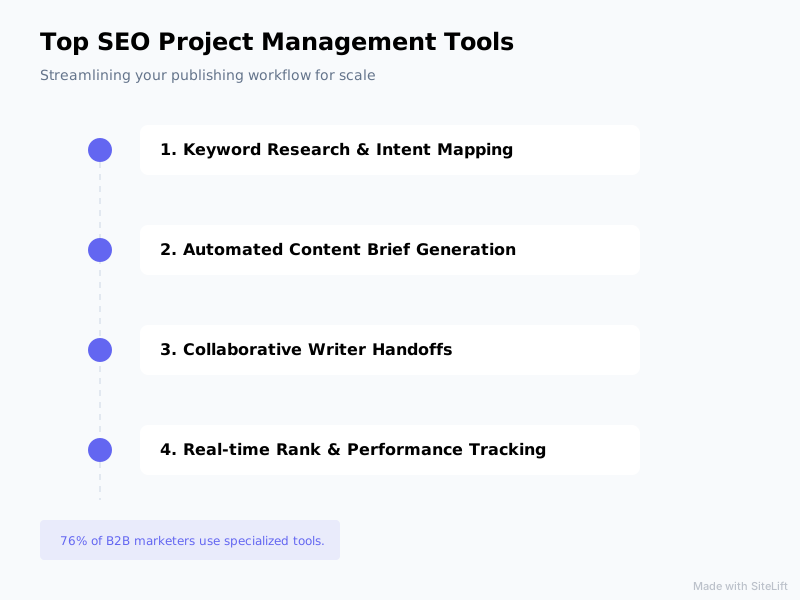
Infographic by SiteLift
Here is a side-by-side comparison matrix to help you evaluate your options:
| Tool | Best For | Standout SEO Feature | Ease of Use | Pricing (Starting) |
|---|---|---|---|---|
| ClickUp | Complex In-House Teams | Highly customizable custom fields & automated task handoffs | Moderate to Hard | Free plan; paid plans from $7/user/month |
| Asana | High-Volume Publishing | Visual timelines & automated editorial calendars | Easy to Moderate | Free plan; paid plans from $10.99/user/month |
| Monday.com | SEO Agencies | Client-facing dashboards & high-level progress tracking | Easy | Paid plans from $9/user/month (3-seat minimum) |
| Notion | Lean Teams & Solo Creators | Document-database integration for seamless content briefs | Moderate | Free plan; paid plans from $8/user/month |
According to a HubSpot report, manual administrative tasks and data entry consume up to 30% of a marketer's average workday. This highlights the critical need for workflow automation. Whichever tool you choose, ensure you are leveraging its automation features to reduce the manual overhead of moving tasks from one stage to the next.
The Future of SEO: Moving from Manual Project Management to Autonomous Execution
While configuring ClickUp, Asana, Monday, or Notion will undoubtedly streamline your publishing workflow, a fundamental truth remains: traditional project management tools are still manual.
Even with the most sophisticated setup, a human still has to:
- Conduct the keyword research manually.
- Write the content brief.
- Assign it to a writer and chase them for drafts.
- Manually run the draft through optimization tools.
- Copy-paste the content into a CMS.
- Manually track the keyword rankings over time.
This manual pipeline creates massive administrative overhead. It slows down your publishing velocity and limits your organic growth.
This is where the industry is shifting. Forward-thinking brands are moving away from manual tracking and embracing autonomous execution.
Instead of spending hours managing tasks across various seo project management tools, platforms like SiteLift eliminate the middleman entirely. SiteLift functions as an autonomous SEO and AI visibility growth platform. It automatically identifies high-value keyword opportunities, generates optimized content that matches exact search intent, distributes it across a premium network, integrates directly with your CMS, and tracks keyword momentum in real-time.
For teams looking to scale their publishing velocity globally, integrating automation into your strategy is no longer optional. You can explore how automation is reshaping international campaigns in our guide on the best SEO automation tools to streamline your European digital strategy.
Furthermore, rather than manually updating ranking databases every week, modern teams rely on automated systems. To see how tracking has evolved, check out our insights on how to track search engine rankings in real-time in modern AI-powered search engines.
If you are an agency owner trying to prove the value of these automated workflows to your clients, choosing the right reporting framework is key. Read our breakdown on selecting an SEO reporting platform to prove ROI to your stakeholders.
If you want to see where your current website stands before building out a massive manual workflow, you can run a quick, instant analysis using our free technical SEO audit tool or explore our full suite of SEO tools for AI search, site health, and content.
Manual project management tools are excellent for keeping your team organized. But if your goal is to dominate search engines at scale, the future lies in combining organized workflows with autonomous execution.
FAQ
What is the difference between standard project management and SEO project management?
Standard project management focuses on linear task completion (e.g., building a feature or launching a campaign). SEO project management requires tracking continuous, iterative processes that rely on external variables. It includes tracking keyword rankings, search volume, search intent, content updates, and post-publish indexing, which standard tools do not support out of the box without custom configuration.
Can you use general project management tools like Trello or Asana for SEO?
Yes, but you must customize them. Out of the box, Trello and Asana do not understand SEO-specific metrics. To make them effective seo project management tools, you need to build custom fields (for target keywords, search volume, and optimization scores) and set up specific automation rules to handle the unique handoffs between writers, editors, and technical SEOs.
How does content workflow software improve SEO ROI?
By reducing administrative overhead and publishing delays. When your workflow is streamlined, content is published faster, search intent is mapped accurately, and critical steps (like meta-tag optimization and internal linking) are never skipped. This consistency leads to faster indexing, higher rankings, and a more predictable return on your content investment.
Why is automated content tracking important for SEO agencies?
SEO agencies often manage dozens of client sites simultaneously. Manually checking which pages have been published, whether they are indexed, and how their keywords are ranking is incredibly time-consuming. Automated content tracking feeds real-time performance data directly into your project management dashboards, allowing your team to proactively optimize underperforming content without manual tracking audits.
How do you set up an editorial calendar for a high-volume publishing workflow?
To scale high-volume publishing, your editorial calendar must be visual and automated. Use editorial calendar tools like Asana or ClickUp to map out your pipeline. Ensure that every content card has automated dependencies (e.g., the editor is only notified when the writer finishes the draft) and use calendar templates so that creating a new content piece automatically schedules all subtasks (brief, draft, edit, publish) in reverse chronological order from the target publish date.
— sitelift.io
Topics Covered:
- seo project management tools
- content workflow software
- editorial calendar tools
- agency project management
- automated content tracking
More from SiteLift

AI for SEO: How to Automate Research, Content Creation and Distribution
Learn how to use AI for SEO to automate keyword research, generative content creation, CMS publishing, and search engine visibility.

SEO Tools in 2026: How to Build an Autonomous Stack That Grows Traffic on Autopilot
Discover how to build an autonomous stack with modern AI SEO tools, automated publishing workflows, and real-time rank tracking to grow organic traffic.

Repurposing Content for SEO: How to Multiply Organic Reach Across Channels
Learn how repurposing content for SEO multiplies organic reach. Discover step-by-step strategies for syndication, AI visibility, and automation.