10 High-Impact Search Engine Optimization Tips for Small Business Owners in Europe
 Running a small business in Europe is uniquely challenging. Unlike our peers in the US who target a massive, single-language market with uniform regulations, European business owners must navigate a patchwork of languages, distinct cultural buying habits, and some of the strictest data privacy laws in the world.
But here is the good news: this complexity actually works in your favor. Because many international competitors struggle to adapt to local European nuances, a smart, localized search strategy can help you punch far above your weight. According to Eurostat, over 77% of European consumers research products online before making a local purchase decision. If your business isn't visible when they search, you are handing customers directly to your competitors.
In this guide, we will share 10 high-impact search engine optimization tips for small business owners looking to scale their organic traffic, build trust, and win customers across Europe without burning through their marketing budget.
How Did We Select These 10 High-Impact SEO Tips? (Our Selection Criteria)
We didn't just pull these tips out of a generic marketing handbook. To make sure these strategies actually move the needle for European small and medium-sized businesses (SMBs), we filtered dozens of tactics through three strict criteria:
Relevance to the European Regulatory and Cultural Landscape
Europe is not a monolith. A strategy that works in Texas might fail spectacularly in Bavaria or Tuscany. We selected tips that respect European cultural diversity, address multilingual search behavior, and keep you on the right side of European regulatory bodies.
Cost-to-Impact Ratio for Resource-Constrained SMBs
We know you don't have a €10,000 monthly agency retainer. Every tip included here represents one of the most affordable SEO strategies available, designed to deliver compounding organic traffic without draining your cash flow.
Feasibility of Implementation Without In-House Developers
You shouldn't need a degree in computer science to improve your rankings. These tips focus on actions you or your small team can take using standard content management systems (like WordPress, Shopify, or Webflow) and free tools.
1. Claim and Optimize Your Google Business Profile for Local Search
What It Is
Your Google Business Profile (GBP) is the free listing that appears in Google Maps and local search results when users look for nearby businesses.
Who It's Best For
Any business with a physical storefront, office, or local service area (e.g., cafes in Paris, boutique hotels in Mallorca, or plumbers in Munich).
Standout Strength
It is the fastest way to appear at the very top of Google search results for high-intent, local queries.
Main Drawback
It requires ongoing maintenance to keep reviews, hours, and photos updated.
Why It Matters for European SMBs
Investing in small business local SEO is your highest-ROI starting point. Research from BrightLocal shows that 87% of consumers read online reviews for local businesses. In Europe, local search intent is incredibly high because of dense, walkable cities.
To win locally, you must optimize your profile according to Google's official local ranking guidelines. Furthermore, you shouldn't rely solely on Google. To build local authority in Europe, you must also list your business in regional directories like PagesJaunes in France, Gelbe Seiten in Germany, PagineGialle in Italy, or Herold in Austria.
[Your Business]
   │
   ├── Google Business Profile (Global Standard)
   ├── Local Directories (e.g., PagesJaunes, Gelbe Seiten)
   └── Consistent NAP (Name, Address, Phone) across all platforms
Step-by-Step Implementation
- Claim your profile: Go to google.com/business and verify your ownership.
- Standardize your NAP: Ensure your Name, Address, and Phone number (NAP) are written exactly the same way on your website, your GBP, and all local directories.
- Select precise categories: Choose the most accurate primary category (e.g., "Italian Restaurant" rather than just "Restaurant").
- Geotag your images: Upload high-quality photos of your business storefront and products, ensuring they contain local metadata.
- Build local citations: Submit your standardized NAP to your country’s top local business directories.
Cost & Resource Requirements
- Cost: €0 (Free tools).
- Time: 2–3 hours for initial setup; 15 minutes a week to manage reviews and post updates.
2. Implement Multi-Lingual SEO for Diverse European Markets
What It Is
Optimizing your website to rank in multiple languages so you can reach customers in their native tongues.
Who It's Best For
Businesses located in multilingual countries (like Belgium, Switzerland, or Spain) or those looking to export goods and services to neighboring European nations.
Standout Strength
It unlocks massive pools of low-competition keywords that English-only competitors completely miss.
Main Drawback
Managing translations and technical tags can become complex as you add more languages.
Why It Matters for European SMBs
Why multilingual SEO is deeply underrated: Most small businesses assume they need to write everything in English to reach a global audience. But European consumers prefer to search and buy in their native languages.
By translating your content into regional languages, you can capture highly qualified traffic with a fraction of the search competition. For example, ranking for "organic skin care" in English is brutally difficult. Ranking for "organic skin care" in Polish (naturalna pielęgnacja skóry) or Dutch (biologische huidverzorging) is significantly easier and highly profitable.
Step-by-Step Implementation
- Choose your URL structure: Use subdirectories (e.g.,
example.com/de/for Germany) rather than separate domain extensions (ccTLDs like.deor.fr), as subdirectories consolidate your domain authority. - Implement Hreflang tags: Use hreflang HTML attributes to tell search engines exactly which language and geographical region a specific page is targeted toward (e.g.,
hreflang="de-at"for German speakers in Austria). - Avoid automated machine translations: Do not rely on raw, unedited Google Translate outputs. Hire a native-speaking freelancer to review and localize your copy so it aligns with local idioms and search terms.
- Localize search intent: Research keywords for each language individually; do not simply translate your English keywords word-for-word.
Cost & Resource Requirements
- Cost: €100–€500 for professional translation of core pages (or high-quality AI translation paired with a native editor).
- Time: 5–10 hours to set up multi-lingual URL structures and map out keywords.
3. Audit and Improve Your Core Web Vitals for Beginner Technical SEO
What It Is
Core Web Vitals are a set of specific metrics that Google uses to measure a user's real-world experience on your website, focusing on loading speed, interactivity, and visual stability.
Who It's Best For
Any business owner who wants to ensure their site isn't losing potential customers due to slow loading times.
Standout Strength
Improving these metrics provides a direct ranking boost and immediately improves your website conversion rates.
Main Drawback
Some issues can be highly technical, requiring plugin configurations or minor code adjustments.
Why It Matters for European SMBs
European internet infrastructure varies wildly. While urban areas enjoy lightning-fast fiber connections, many rural regions still rely on slower mobile networks. Because Google uses mobile-first indexing, your site must load quickly on a mobile device over a 3G or 4G connection.
Focusing on beginner technical SEO ensures that you don't lose users before they even see your homepage. If your site takes longer than three seconds to load, over half of your mobile visitors will bounce.
 ### Step-by-Step Implementation
- Test your speed: Run your URL through the free Google PageSpeed Insights tool.
- Optimize your images: Large, uncompressed images are the number-one cause of slow websites. Use free tools like TinyPNG to compress your images, and convert them to next-gen formats like WebP.
- Enable caching: Install a caching plugin (like WP Rocket for WordPress or built-in speed settings on Shopify) to serve static versions of your pages to repeat visitors.
- Minify code: Clean up unnecessary characters in your HTML, CSS, and JavaScript files using simple, free optimization plugins.
Pro Tip: Never upload an image directly from your smartphone or stock photo site to your website. Always resize it to the maximum width it will actually display (usually 1200px for banners, 800px for blog images) and compress it first.
Cost & Resource Requirements
- Cost: €0 (Using free plugins and testing tools).
- Time: 3–4 hours of optimization.
4. Leverage AI Content for SMBs to Scale Your Publishing Safely
What It Is
Using artificial intelligence tools to research, outline, draft, and optimize high-quality localized blog posts and landing pages.
Who It's Best For
Solopreneurs and small teams who want to build topical authority but don't have the time to write multiple articles every week.
Standout Strength
It allows you to scale your content output by 10x while keeping your production costs incredibly low.
Main Drawback
Low-quality, unedited AI content can feel generic and fail to meet Google's quality standards.
Why It Matters for European SMBs
Larger corporations have massive content marketing budgets. To compete, you need to publish consistently. Utilizing AI content for SMBs levels the playing field. However, to rank well on Google, your content must satisfy Google's E-E-A-T (Experience, Expertise, Authoritativeness, and Trustworthiness) guidelines.
This means you cannot simply copy and paste raw drafts from basic AI engines. Instead, you should use advanced publishing platforms like SiteLift to automate your publishing pipeline safely, while ensuring a human reviews the final output to add real-world expertise, case studies, and local brand voice.
[Raw AI Draft] ➔ [Human Editor: Add Local Context/E-E-A-T] ➔ [SEO-Optimized Published Article]
Step-by-Step Implementation
- Identify topical clusters: Map out 10–20 questions your local customers frequently ask.
- Generate structured drafts: Use an AI visibility platform to draft comprehensive, SEO-optimized guides targeting those questions.
- Inject real-world experience: Have someone on your team edit the draft to include local references, customer testimonials, and unique business insights.
- Publish and distribute: Embed internal links within your new articles pointing back to your main service or product pages.
Cost & Resource Requirements
- Cost: Highly affordable software subscription (e.g., SiteLift platform plans).
- Time: 1 hour per week to review, edit, and schedule an entire month's worth of content.
5. Build Local Backlinks with Affordable SEO Strategies
What It Is
Acquiring hyperlinks from other reputable, locally relevant websites back to your own site to build domain authority.
Who It's Best For
Businesses operating in competitive niches who need an extra authority boost to outrank established competitors.
Standout Strength
High-quality local backlinks are incredibly powerful signals that tell Google your business is trusted within your geographic area.
Main Drawback
It requires outreach, building relationships, and occasionally pitching content ideas to others.
Why It Matters for European SMBs
You do not need millions of links from global websites to rank for local searches. A handful of highly relevant local backlinks from your city's chamber of commerce, a local news outlet, or a regional business blog will carry far more weight.
Focusing on these affordable SEO strategies protects you from the dangerous trap of buying cheap, spammy link packages online, which can result in severe Google penalties that wipe your site from search results entirely.
Step-by-Step Implementation
- Join local business associations: Get listed on your local chamber of commerce, tourism board, or regional business association website. These almost always include a high-authority backlink.
- Sponsor local community events: Sponsor a local youth football team, a charity drive, or a neighborhood festival. They will usually link to their sponsors' websites.
- Pitch local journalists: Use platforms like HARO (Help a Reporter Out) or reach out directly to local European journalists covering your industry. Offer yourself as an expert source for comment.
- Partner with local bloggers: Find lifestyle, food, or business bloggers in your region and offer them a free experience or product in exchange for an honest review and link.
Cost & Resource Requirements
- Cost: €0–€100 (Sponsorships or small local partnerships).
- Time: 2–3 hours of outreach per month.
6. Optimize for Voice Search and Conversational Queries
What It Is
Optimizing your website content to match the natural, conversational way people speak when using voice assistants like Siri, Alexa, or Google Assistant.
Who It's Best For
Service-based businesses and local retailers who get searched for "on the go."
Standout Strength
It positions your business to capture high-intent, immediate-need searches (e.g., "Where is the nearest open pharmacy?").
Main Drawback
Voice search queries are highly conversational, meaning they don't always lead to traditional desktop website clicks.
Why It Matters for European SMBs
European consumers are increasingly using voice search in their native languages. Because voice queries are typically longer and phrased as complete questions, you cannot target them with simple, two-word keywords.
You need to structure your content to answer direct questions clearly. By doing so, you also increase your chances of winning "Featured Snippets"—the highlighted blocks of text that appear at the very top of Google’s search engine results pages (SERPs).
Step-by-Step Implementation
- Target conversational keywords: Focus on long-tail question keywords (e.g., "How do I fix a leaking pipe in Berlin?" instead of just "plumber Berlin").
- Create dedicated FAQ pages: Write clear, concise answers (under 50 words) to common customer questions.
- Use Schema Markup: Implement Local Business Schema and FAQ Schema code on your website to help search engine crawlers understand your exact location, hours, and answers.
- Write the way people talk: Keep your tone natural, conversational, and direct.
Cost & Resource Requirements
- Cost: €0 (Using free schema generators).
- Time: 2 hours to write and format an FAQ page with schema markup.
7. Ensure GDPR Compliance for Your SEO and Analytics Setup
What It Is
Configuring your website's cookie consent banners and analytics tracking to fully comply with the General Data Protection Regulation (GDPR) without destroying your data accuracy or site performance.
Who It's Best For
Every single business operating in or targeting customers within the European Economic Area (EEA).
Standout Strength
It protects your business from massive regulatory fines while building deep trust with privacy-conscious European consumers.
Main Drawback
Strict cookie consent banners can block up to 50% of your user tracking data, making your SEO analytics look artificially low.
Why It Matters for European SMBs
You cannot ignore the European regulatory environment. Under the official GDPR guidelines, you must obtain explicit consent before loading any non-essential cookies (including Google Analytics tracking).
If your cookie banner is slow, intrusive, or poorly coded, it will hurt your site speed and increase your bounce rate, which indirectly damages your SEO rankings. You must find a balance: a fast, compliant setup that still gives you the data you need to track your organic growth.
[User Visits Site] ➔ [Fast, Compliant Cookie Banner]
                          │
                          ├── Consent Given ➔ Load Full Analytics
                          └── Consent Denied ➔ Load Privacy-Friendly, Cookieless Tracking
Step-by-Step Implementation
- Use a light, compliant CMP: Implement a certified Consent Management Platform (CMP) like Cookiebot or Consent Manager that loads quickly and doesn't block search engine crawlers.
- Enable Google Consent Mode v2: If you use Google Analytics 4 (GA4), ensure Consent Mode v2 is active. This allows Google to use machine learning to model missing data from users who decline cookies.
- Consider privacy-first analytics: Look into lightweight, cookieless analytics alternatives like Plausible or Matomo. They load incredibly fast, do not require annoying cookie banners, and are 100% GDPR-compliant out of the box.
- Keep your privacy policy updated: Ensure you have a clear, accessible privacy policy page linked in your footer.
Cost & Resource Requirements
- Cost: €0–€20 per month for a compliant CMP or privacy-first analytics tool.
- Time: 2 hours to configure and test.
8. Target High-Intent Long-Tail Keywords to Beat Larger Competitors
What It Is
Focusing your SEO efforts on highly specific, multi-word search phrases that indicate a strong intent to buy, rather than broad, highly competitive terms.
Who It's Best For
Niche businesses and newer websites with lower domain authority.
Standout Strength
These keywords have significantly lower competition and much higher conversion rates.
Main Drawback
Each individual long-tail keyword has lower search volume than broad terms.
Why It Matters for European SMBs
If you run an organic bakery in Brussels, trying to rank for the keyword "bakery" is a waste of time and money. You are competing against global recipe sites, massive supermarket chains, and Wikipedia.
Instead, targeting long-tail queries like "gluten-free organic bakery Brussels Saint-Gilles" allows you to connect directly with a consumer who is ready to walk through your door. A study by HubSpot reveals that targeting long-tail keywords can result in conversion rates up to 2.5 times higher than generic head terms.
Broad Term: "Bakery" ➔ High Competition, Low Conversion Intent
Long-Tail: "Gluten-free organic bakery Brussels" ➔ Low Competition, High Conversion Intent
Step-by-Step Implementation
- Brainstorm customer pain points: Think about the exact problems your customers are trying to solve.
- Use free search tools: Type your primary service into Google and look at the "People Also Ask" box and the related searches at the bottom of the page.
- Analyze local modifiers: Combine your core offering with specific neighborhoods, districts, or localized attributes (e.g., "dog-friendly boutique hotel Munich Schwabing").
- Create dedicated landing pages: Build a specific, helpful page on your website designed to answer that exact long-tail query.
Cost & Resource Requirements
- Cost: €0 (Using free search data).
- Time: 2–3 hours of keyword mapping.
9. Implement Essential On-Page Search Engine Optimization Tips for Small Business
What It Is
The practice of optimizing individual web pages on your site to rank higher and earn more relevant traffic in search engines.
Who It's Best For
Every business owner who wants to make sure Google fully understands what their website pages are about.
Standout Strength
It is entirely within your control and can be done directly inside your website's content management system.
Main Drawback
It requires meticulous attention to detail and consistent formatting across all pages.
Why It Matters for European SMBs
On-page search engine optimization tips for small business are the bedrock of search visibility. If your page titles and meta descriptions are missing, duplicated, or poorly written, search engines will struggle to index your content correctly.
Furthermore, in Europe's multilingual SERPs, localizing your meta descriptions to match regional search behavior is a highly effective way to dramatically increase your organic Click-Through Rate (CTR).
Step-by-Step Implementation
- Title Tags: Keep them under 60 characters. Place your primary keyword at the beginning, followed by your brand name (e.g., Bespoke Leather Shoes Milan | BrandName).
- Meta Descriptions: Keep them under 155 characters. Write a compelling, action-oriented call to action that encourages users to click.
- Header Structure: Use only one H1 tag per page (the main title). Use H2 and H3 tags to logically break up your content into subtopics.
- Image Alt Text: Describe what is in your images using descriptive, keyword-rich language. This helps visually impaired users and search engine crawlers understand your media.
Pro Tip: Always write meta descriptions that speak directly to the local consumer's values. For example, in Germany, highlighting "free shipping" or "certified secure checkout" in your meta description can significantly boost clicks due to local trust preferences.
Cost & Resource Requirements
- Cost: €0.
- Time: 30 minutes per page to audit and optimize.
10. Track Keyword Momentum and Adapt to Algorithm Updates
What It Is
Consistently monitoring how your target keywords are performing over time and adapting your strategy to survive Google’s regular search algorithm updates.
Who It's Best For
Business owners who want to protect their organic traffic investments over the long term.
Standout Strength
It keeps you proactive, allowing you to spot declining rankings and fix them before your revenue drops.
Main Drawback
SEO data can be noisy; focusing on daily fluctuations can lead to unnecessary panic.
Why It Matters for European SMBs
Google updates its search algorithm hundreds of times a year. If you don't track your keyword momentum, you are flying blind.
By monitoring your search data through free tools like Google Search Console, you can identify exactly which pages are gaining traction and which ones require optimization. This data-driven approach ensures your business remains resilient, regardless of how the search landscape changes.
Step-by-Step Implementation
- Set up Google Search Console: Verify your website to start tracking impressions, clicks, and average keyword positions.
- Monitor CTR trends: Look for keywords with high impressions but low click-through rates. This indicates that your meta title or description needs work.
- Track keyword momentum: Identify keywords that have climbed from page two (positions 11–20) to the bottom of page one. Give these pages a minor content refresh to push them into the top three spots.
- Focus on user experience: During core algorithm updates, do not make rash changes. Focus on keeping your content updated, accurate, and highly useful to your readers.
Cost & Resource Requirements
- Cost: €0 (Using Google Search Console).
- Time: 1 hour per month to review performance trends.
Summary Comparison: Which High-Impact SEO Tips Deliver the Fastest ROI?
To help you prioritize your marketing efforts, we have evaluated all 10 tips based on implementation difficulty, financial cost, and how quickly you can expect to see real-world results.
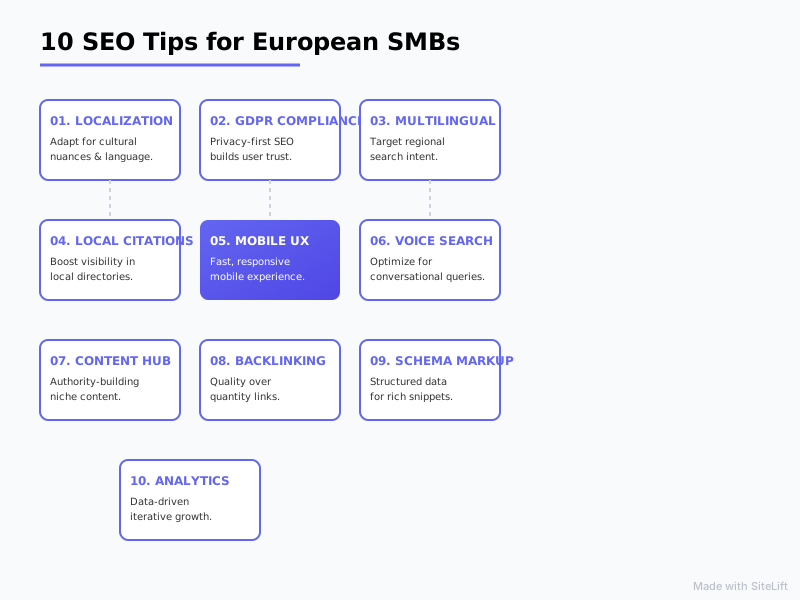 Infographic by SiteLift
| High-Impact SEO Tip | Difficulty | Cost | Time-to-Results | Main Focus |
|---|---|---|---|---|
| 1. Google Business Profile | Very Easy | €0 | 1–2 Weeks | Local Visibility |
| 2. Multi-Lingual SEO | Moderate | Low to Medium | 4–8 Weeks | Regional Expansion |
| 3. Core Web Vitals | Moderate | €0 | 2–4 Weeks | User Experience |
| 4. AI Content Scaling | Easy | Low | 4–12 Weeks | Topical Authority |
| 5. Local Backlinks | Hard | Low | 8–16 Weeks | Domain Trust |
| 6. Voice Search Optimization | Easy | €0 | 4–8 Weeks | Conversational Queries |
| 7. GDPR Compliance | Easy | Low | Immediate | Trust & Compliance |
| 8. Long-Tail Keywords | Easy | €0 | 2–6 Weeks | High-Intent Traffic |
| 9. On-Page SEO Checklist | Easy | €0 | 2–4 Weeks | Search Crawlability |
| 10. Keyword Tracking | Easy | €0 | Ongoing | Performance Analytics |
The Small Business SEO Roadmap
If you are overwhelmed by this list, do not try to implement all ten tips this weekend. Instead, follow this phased roadmap designed for resource-constrained European business owners:
[Month 1: The Foundation] ➔ [Month 2: Content & Scaling] ➔ [Month 3: Authority & Growth]
  • GBP Optimization          • AI Content Pipeline       • Local Backlink Outreach
  • GDPR Compliance           • Long-Tail Targeting       • Multilingual Expansion
  • On-Page Technical Fixes
- Phase 1: The Foundation (Month 1): Start by claiming your Google Business Profile, securing your GDPR analytics compliance, and fixing your basic on-page elements. These are quick wins that immediately protect your existing traffic.
- Phase 2: Content & Scaling (Month 2): Introduce an automated content workflow. Use highly targeted long-tail keywords to write helpful blog posts that answer your customers' exact questions.
- Phase 3: Authority & Growth (Month 3 and Beyond): Begin outreach for local backlinks, optimize your site for voice search, and expand into neighboring European languages to capture new markets.
Let SiteLift Handle Your SEO on Autopilot
 As a small business owner, your most valuable asset is your time. While the search engine optimization tips for small business outlined above are highly effective, executing them manually week after week takes hours away from running your actual operations.
That is why we built SiteLift.
SiteLift is an autonomous SEO and AI visibility growth platform designed specifically to help European businesses dominate search engines on autopilot. The software automatically generates localized, high-quality content tailored to your target audience, distributes it across a curated premium network to build high-authority backlinks, and tracks your keyword momentum in real-time.
By integrating seamlessly with your existing CMS, SiteLift provides a complete, hands-off publishing pipeline that compounds your organic traffic and domain authority without requiring manual intervention.
Let us handle the technical complexities of modern search optimization while you focus on serving your growing customer base.
— Thomas S., Head of Organic Growth at SiteLift
FAQ
How long does it take to see results from search engine optimization tips for small business?
While some local optimizations (like updating your Google Business Profile) can yield results in as little as 1 to 2 weeks, broader organic SEO strategies typically take between 3 to 6 months to show significant traffic growth. SEO is a long-term, compounding asset; the work you do today will continue to drive free leads for years to come.
Is local SEO different for European businesses compared to US businesses?
Yes, significantly. European local SEO requires a deep understanding of multilingual search behavior and localized directories. While US local SEO relies heavily on Google and Yelp, European businesses must optimize for regional directories (like PagesJaunes or Gelbe Seiten) and ensure their websites are prepared to handle multiple languages and strict local privacy laws.
Can European small businesses safely use AI content for SMBs without getting penalized by Google?
Yes, absolutely. Google's official stance is that it rewards high-quality, helpful content, regardless of how it is produced. However, to avoid search penalties, you must ensure your AI-generated content is accurate, structured logically, and reviewed by a human to add real-world experience, local context, and brand voice (satisfying Google's E-E-A-T guidelines).
What are the most affordable SEO strategies for a business with a zero-euro budget?
If you have zero budget, focus entirely on claiming your free Google Business Profile, optimizing your on-page titles and headers, and writing high-quality, long-tail blog posts that answer specific customer questions. These three free tactics alone can drive thousands of highly qualified visitors to your website.
How does GDPR affect my website's SEO and tracking?
GDPR requires you to get explicit user consent before loading tracking cookies, which can block a significant portion of your Google Analytics data. To prevent this from hurting your SEO strategy, implement Google Consent Mode v2 or switch to a lightweight, privacy-first, cookieless analytics tool like Plausible. This ensures your site remains fast, compliant, and easy to analyze.
Topics Covered:
- search engine optimization tips for small business
- small business local SEO
- affordable SEO strategies
- AI content for SMBs
- beginner technical SEO
More from SiteLift

Visibility Tracker Explained: Measure True Share of Voice Across Google and AI Search
Discover how a visibility tracker measures search visibility scores and share of voice across Google and AI search engines to compound your organic reach.

LLM Visibility Tool: How to Measure and Grow Your Brand in ChatGPT and Perplexity
Discover how to use an LLM visibility tool to monitor ChatGPT brand mentions, track Perplexity citations, and scale your AI share of voice.

Single Page Application Search Engine Optimization: The Complete Rendering and Indexing Guide
Master single page application search engine optimization: rendering, indexing, Core Web Vitals & audits. Fix your SPA SEO today.